Every case below is a real behaviour of the billing system: what it looks like from your side, why it happens, and what to send us when it still is not right.
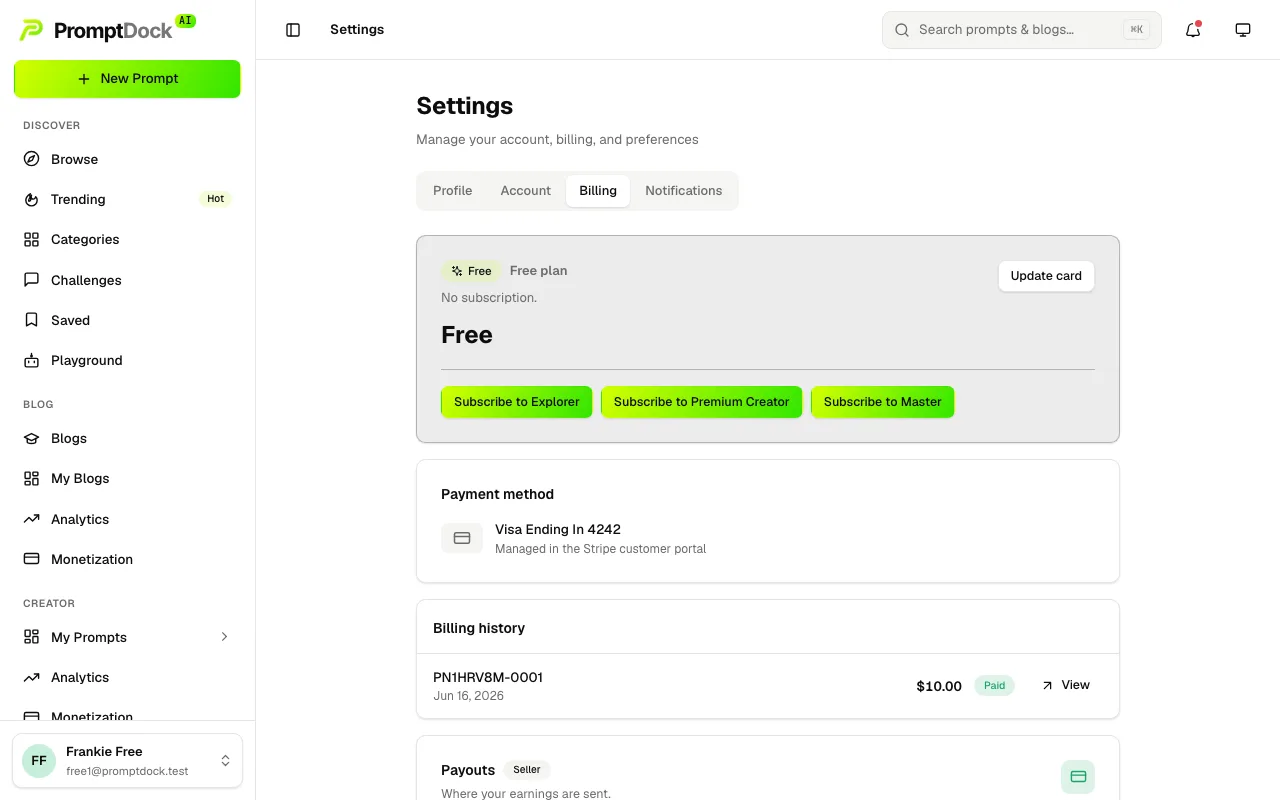
Settings → Billing is where all of it lives — your current plan and its status, the card on file, and Billing history, which lists every invoice with its number and a link to Stripe's own copy.
Your payment failed
When a renewal cannot be collected, the subscription moves to past due and a Payment failed banner appears across the dashboard. Fix payment opens the Stripe customer portal, where you update the card; the retry then usually goes through on its own.
An established subscription keeps its plan while payment is being retried, so a failed renewal does not lock you out on the spot. A subscription still in its trial that never converted is the exception — it drops to the free Creator plan.
When you email support@promptdock.ai, include: your account email, the invoice number the failed charge shows in Billing history, and any decline reason your bank gave you.
A charge in a currency you did not expect
Stripe locks a customer to one billing currency the first time a subscription is created, and that lock stays for the life of the customer. If you first subscribed while being quoted dollars, later renewals stay in dollars — travelling or moving does not switch them.
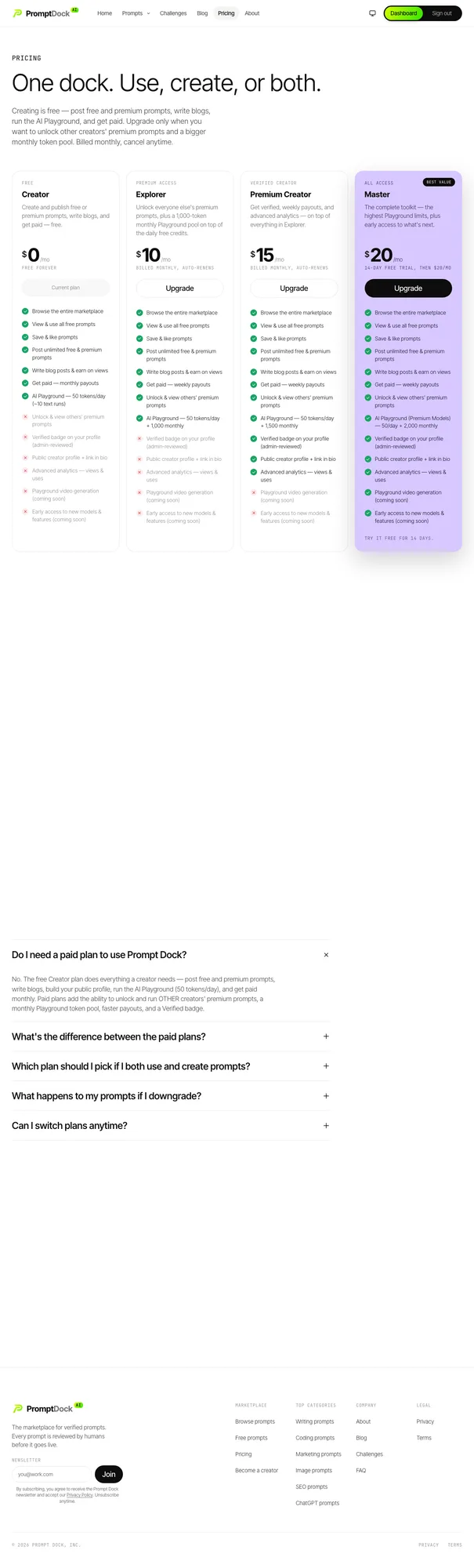
The pricing page quotes what a new subscription would cost you now. The Billing tab is the truth about what your existing subscription is charged, in the currency it is charged in. When the two disagree, the Billing tab is the one to trust.
When you email support@promptdock.ai, include: your account email, the invoice number, the currency you expected and the one you were charged in.
The Master trial charged you
A first Master subscription includes a 14-day free trial and takes a card up front, because the trial converts into a paid subscription automatically when it ends. A reminder email goes out before that happens, and cancelling during a trial ends it immediately rather than at a period boundary.
The trial is once per customer. If you have used it before, you are charged at checkout instead — the confirmation screen says which of the two you are getting before you pay.
When you email support@promptdock.ai, include: your account email, the invoice number, and whether you had subscribed to Master before.
It looks like you were charged twice
The app refuses to create a second subscription for an account that already has a live one, and a checkout you leave open is expired before a replacement is created, so a duplicate subscription is not something the checkout flow can produce. Two charges close together are usually one of these instead:
- An upgrade. Upgrades apply immediately and invoice immediately, so the prorated upgrade invoice arrives on its own, separate from the next renewal.
- Two accounts. A second sign-up under a different email address is a second, unrelated subscription with its own billing.
When you email support@promptdock.ai, include: your account email and both invoice numbers, so the charges can be matched to the subscriptions that produced them.
A cancel, downgrade or plan change did not take effect
Cancels and downgrades are deliberately not instant:
- Cancel on an active subscription runs to the end of the period you have already paid for, and the status line reads Cancels {date}. During a trial it ends there and then.
- A downgrade is scheduled at Stripe for the end of the current period. The status line reads Switches to {plan} {date}, and you keep the higher plan until then.
- Resume undoes either one, and it becomes the dominant button on the card while a change is pending.
An upgrade is the one change that applies at once.
If a payment went through and your plan still shows as free, that one is ours to fix rather than yours: plan changes are written from Stripe's notification of the payment, so a payment with no plan behind it means that notification did not arrive.
When you email support@promptdock.ai, include: your account email, the invoice number, what the Billing tab shows now, and what you expected it to show.
A payout is stuck, failed, or setup will not start
- "Payout setup isn't available right now." That message is about us, not your account — it is what the Payouts card shows when the payout platform cannot be reached or is not fully configured on our side. Retrying does not usually help.
- Withdraw is missing. The control only appears once Stripe reports your payout account ready. Until then the card shows the setup step instead.
- A withdrawal has sat in Pending. Payouts reconcile automatically: one that reached the bank settles to Paid, and one that never got that far is marked Failed and its amount returns to your balance to be requested again. You can hold one pending payout at a time, which is why a stuck one blocks the next.
When you email support@promptdock.ai, include: your account email, the date you requested the withdrawal, and the amount and status shown on the Payouts card.
Refunds
Refund terms, including the right of withdrawal for consumers in the EEA and the UK, are set out in the Terms of Service under Refunds.